# 美肌加工
「美肌加工」タグが付いたプロンプト 4件
 DALL-E
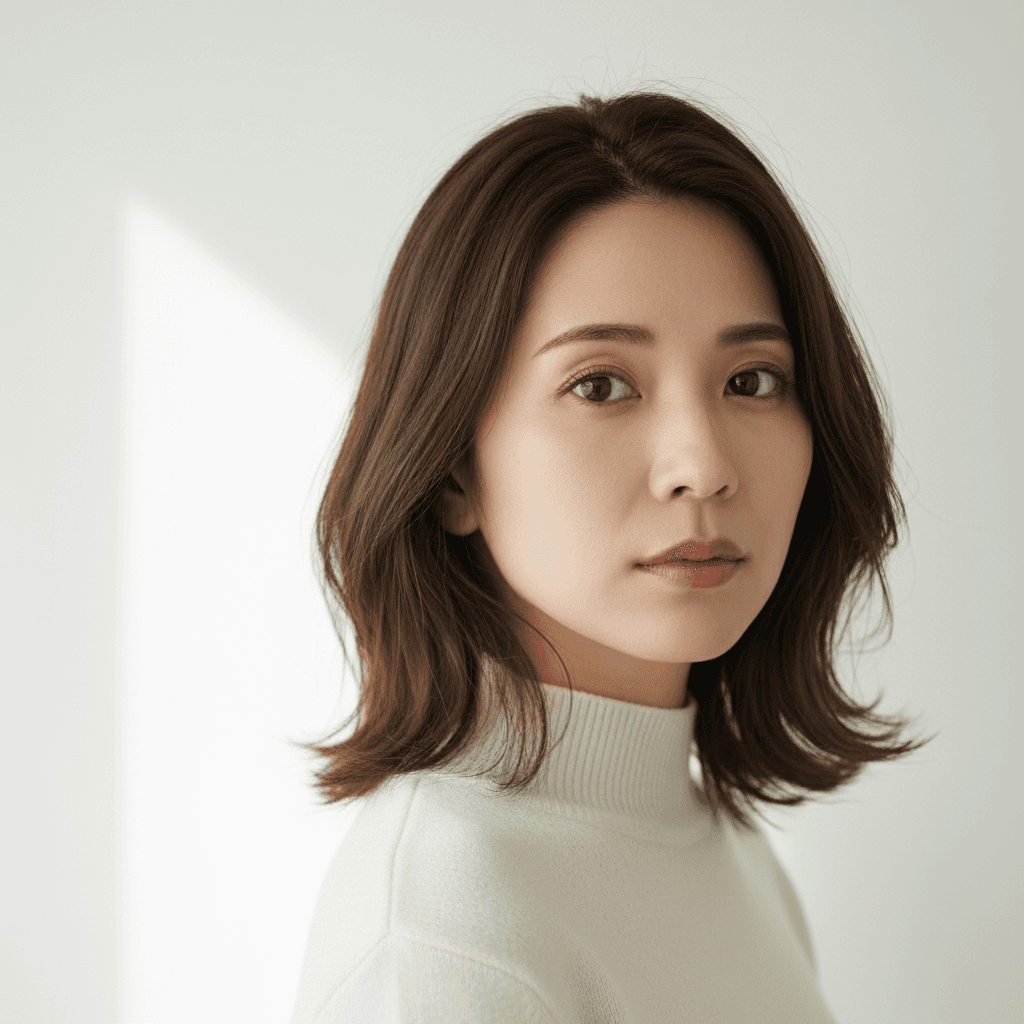
ホクロを自然に除去するプロンプト
顔のホクロのみ自然に除去。他のホクロやそばかすは保持したまま除去。肌加工の基本スキル。
Edit only the area of one specific raised mole on the cheek in the uploaded photo. Remove that single mole and replace it with surrounding natural skin tone, preserving the existing pore pattern and any nearby freckles. Do not touch any other moles, freckles, beauty marks, or skin features elsewhere on the face or body. Keep identity, facial structure, freckles below the nose, fine lines, eyebrow shape, lip color (do not add lipstick), makeup state, hair, clothing, and background. Do not over-smooth the skin and no plastic-looking face. Output at the original resolution. Natural skin texture and natural-looking.
 DALL-E
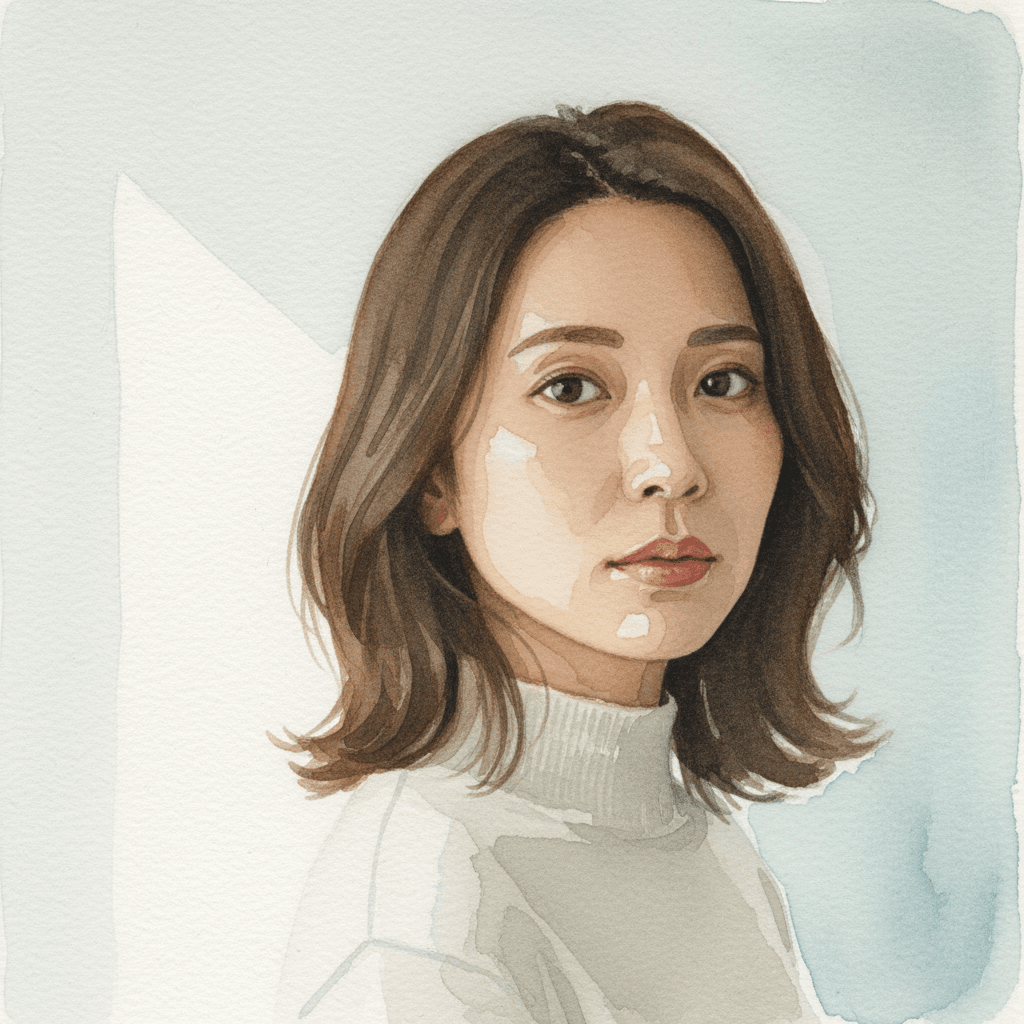
水彩画ポートレートに変換するプロンプト
ポートレート写真を柔らかい水彩画タッチに変換。淡い色合いで優雅な印象を演出。
Edit only the rendering style of the uploaded photo to convert it into a loose traditional watercolor portrait. Apply soft wet-on-wet pigment bleeds at the edges of hair and clothing, visible cold-press paper texture across the whole image, gentle pooling of pigment in shadow areas, intentional white paper showing through highlights, and a muted natural palette dominated by earth tones with one or two accent washes. Lock identity (same recognizable face structure), hair length, clothing layout, pose, and composition exactly. Re-render in target style without changing any of these. Do not regenerate the photo from scratch — only operate on the existing pixels and preserve every face, pose, and texture exactly as the source. Do not invent new accessories or change the body proportions or pose. Output at the original resolution. Natural-looking as a hand-painted watercolor.
 Gemini
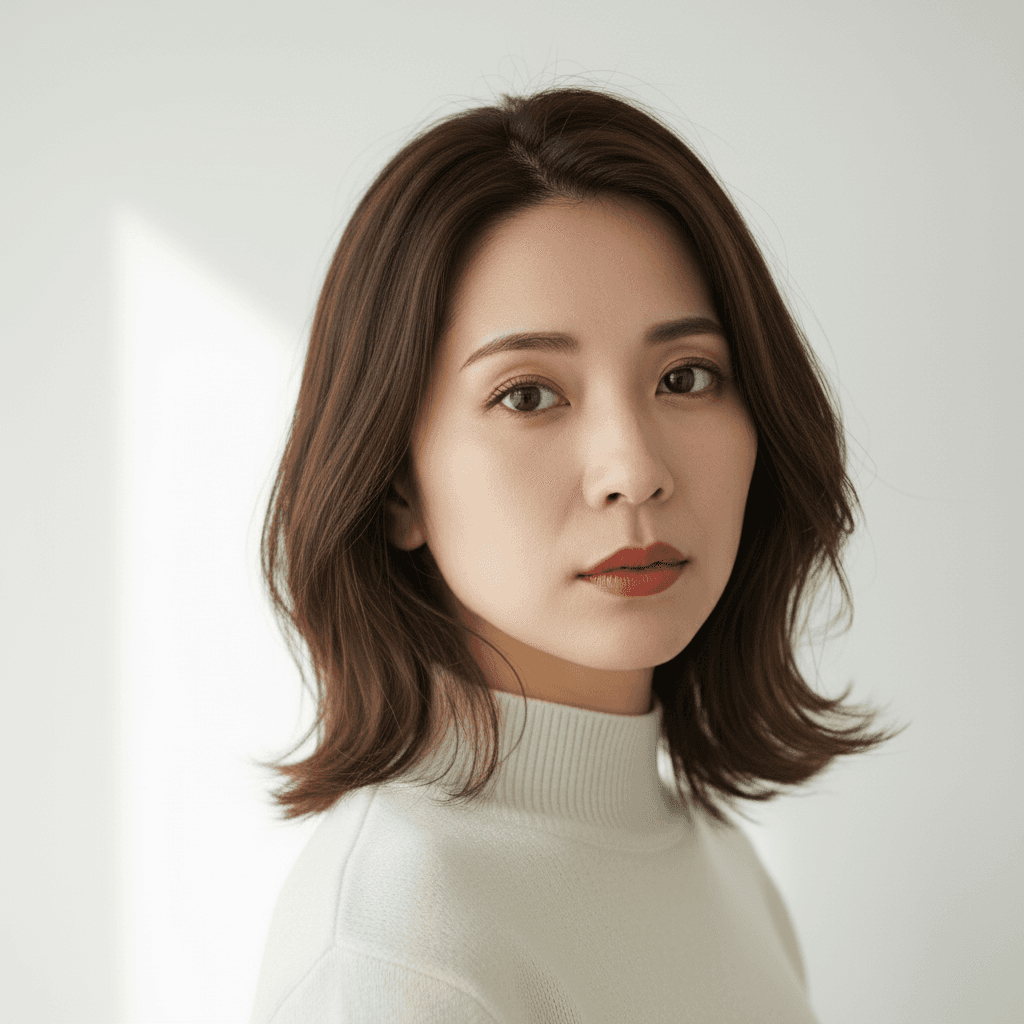
バーチャルメイク 参照画像転写 - AI 顔写真加工
メイク参照画像をアップロードするだけで自分の顔に同じメイクを再現。リップ・アイメイク・チークまで自動転写。Gemini 2.5 Flash Image 用プロンプト。
Apply the makeup look shown in the second uploaded reference image to the person in the first uploaded photo. Keep the first person's identity, eye shape, nose, jawline, hair length, hair color, hairstyle, clothing color, clothing fit, pose, and background exactly as the source. Match the lipstick color, eyeshadow palette, eyeliner shape, blush placement, and contour intensity from the reference image. Output at the original resolution, photorealistic and natural-looking. Do not modify the facial structure, do not over-smooth the skin, and avoid any cartoon makeup look or unnatural skin texture.
 Gemini
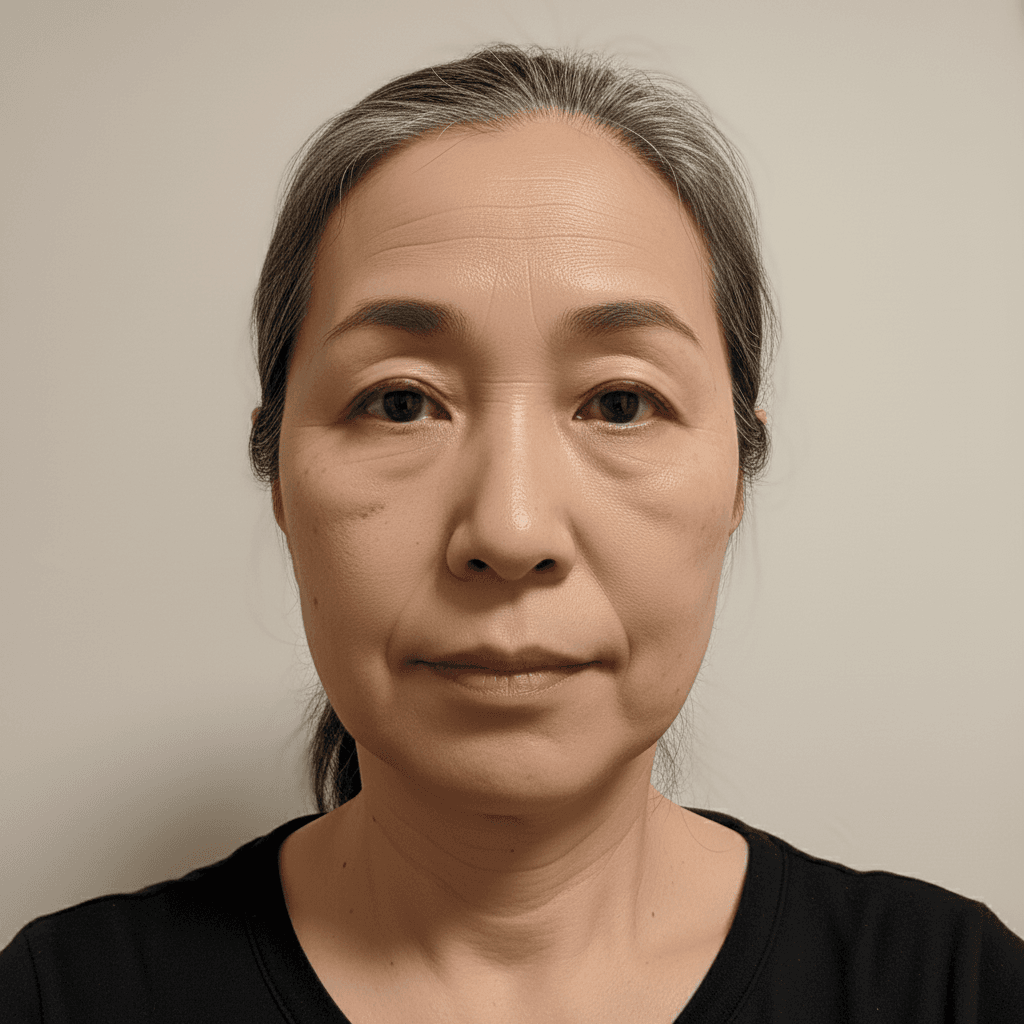
自然な美肌レタッチ - Gemini写真加工
肌トラブルを自然に軽減。肌質感を保ちながらシミやくすみを除去。顔の構造や目の形は変えないリタッチプロンプト。
Softly retouch the face of the person in this image: reduce visible blemishes and minor redness, even out skin tone, and gently smooth pores while keeping skin texture, freckles, moles, and fine lines intact. Do not change the facial structure, eye shape, or jawline. Do not add makeup, lipstick, eyeliner, or modify the eyebrow shape — keep the bare-face look. Maintain the original pose, hair, and clothing. Output at the original resolution, photorealistic, do not over-smooth the skin and no plastic-looking face.
「美肌加工」プロンプトとは?
美肌加工プロンプトは、写真の肌を自然に整える AI 画像編集指示です。毛穴・くま・吹き出物・赤みなどの軽微な肌トラブルを補正しつつ、AI 加工で陥りがちな「ベタ塗りでツルツルすぎる肌(plastic skin)」を避けることが品質の決め手になります。プロフィール写真、結婚式写真、家族写真など、過剰でない自然な仕上がりが求められる場面に最適です。 自然さを保つ指示文の核:`Subtly retouch the skin in the uploaded photo to even out skin tone, reduce visible blemishes, and soften under-eye shadows. Important: keep the natural skin texture, pores, and fine details visible — do NOT over-smooth or create a plastic-looking face. Preserve the person's identity and age.` 補正対象別の追加指示:(a) 毛穴 → 「subtly minimize visible pores while keeping skin texture natural」、(b) くま → 「reduce dark circles under the eyes, keep the eye shape unchanged」、(c) 赤み → 「even out redness on the cheeks and nose to a balanced skin tone」、(d) ニキビ → 「remove temporary blemishes only, do not change moles or birthmarks」。 失敗パターンと対策:肌が均一すぎる→`keep skin texture and pores visible`、顔の輪郭が変わる→`do not change the facial structure`、年齢が若返りすぎる→`maintain the person's apparent age`。Gemini 2.5 Flash Image を第一推奨、対話で寄せたい時は ChatGPT 画像編集を使用してください。