水彩画ポートレートに変換するプロンプト
ポートレート写真を柔らかい水彩画タッチに変換。淡い色合いで優雅な印象を演出。
15 閲覧0 コピー
効果サンプル(Before / After)
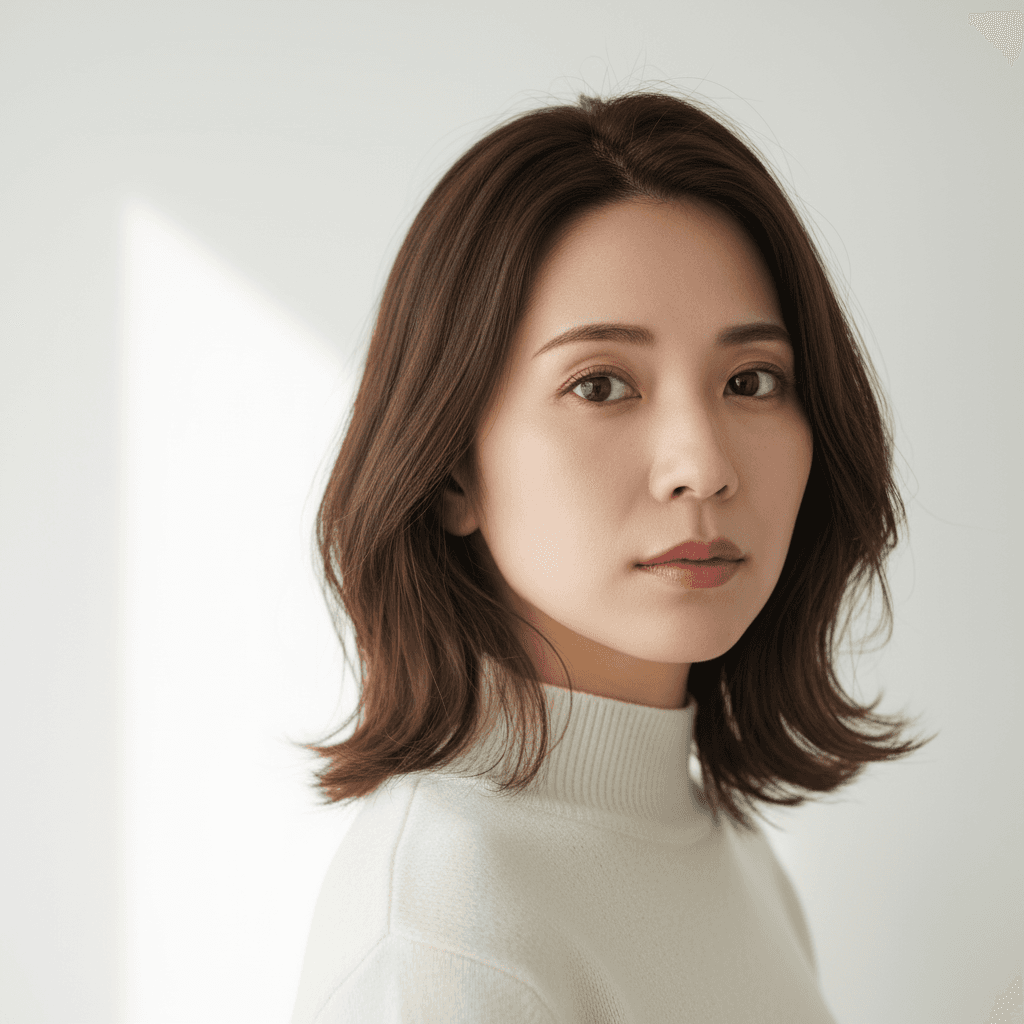
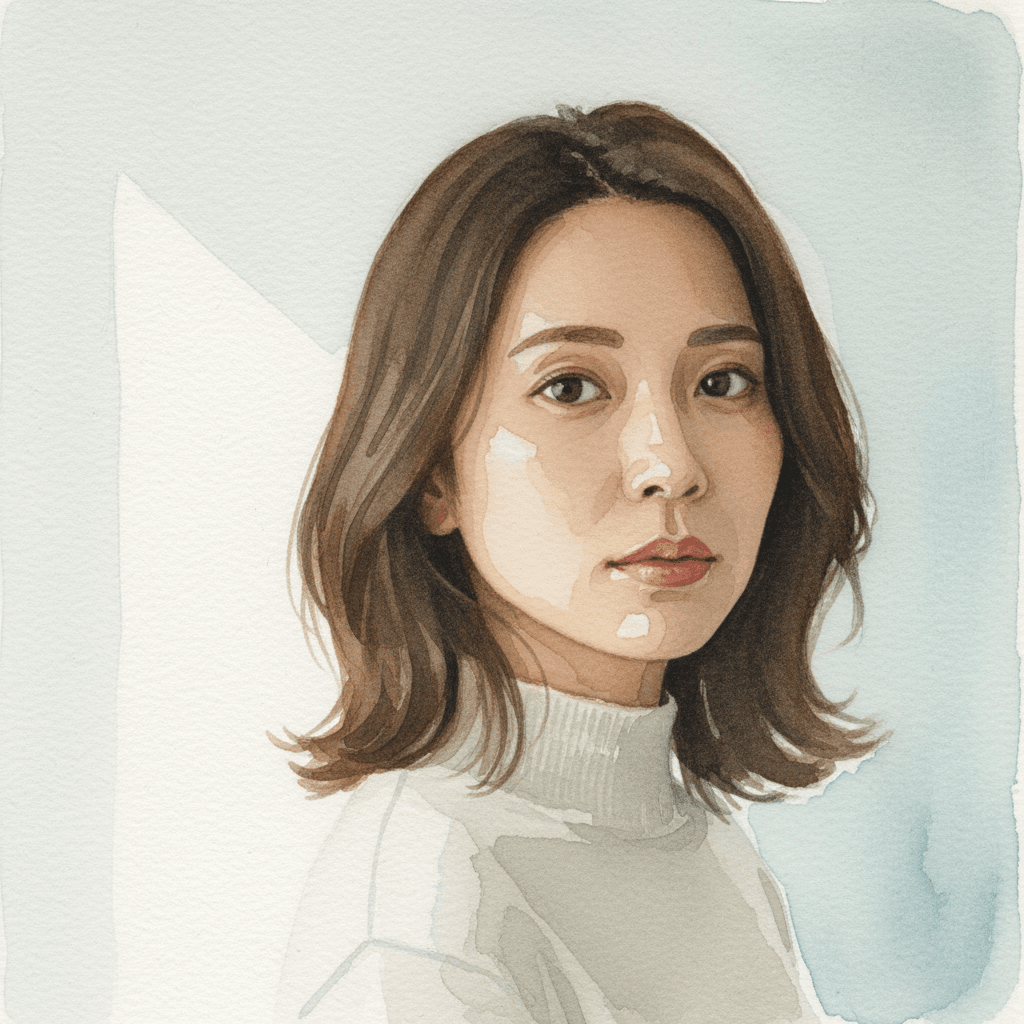
Gemini 2.5 Flash Image で生成したサンプル。実際の出力はソース写真と指示文の組み合わせで変わります。
プロンプト
Edit only the rendering style of the uploaded photo to convert it into a loose traditional watercolor portrait. Apply soft wet-on-wet pigment bleeds at the edges of hair and clothing, visible cold-press paper texture across the whole image, gentle pooling of pigment in shadow areas, intentional white paper showing through highlights, and a muted natural palette dominated by earth tones with one or two accent washes. Lock identity (same recognizable face structure), hair length, clothing layout, pose, and composition exactly. Re-render in target style without changing any of these. Do not regenerate the photo from scratch — only operate on the existing pixels and preserve every face, pose, and texture exactly as the source. Do not invent new accessories or change the body proportions or pose. Output at the original resolution. Natural-looking as a hand-painted watercolor.
🚀 ここで試す
このプロンプトをサイト内で実行できます。
📸 編集元の写真をアップロード
※ 実行にはサインインが必要です(Google または メールリンク、初回 15 ポイント無料プレゼント)
使い方
- 1上のプロンプトをコピーボタンでコピーします。
- 2DALL-Eを開き、プロンプト入力欄に貼り付けます。
- 3必要に応じて、{ }で囲まれた部分を自分の内容に置き換えてください。
- 4生成を実行して結果を確認します。
タグ
関連ガイド
📖📖📖
プロンプトとは?意味・書き方・コツを徹底解説【AI初心者向け完全ガイド】
プロンプトの意味から書き方の5つのコツ、よくある失敗例、業務活用事例まで網羅した完全ガイド。ChatGPT・Claude・Gemini・Stable Diffusion・Midjourney・DALL-E対応の具体例つきでAIプロンプトを基礎から実践まで学べます。
プロンプトの書き方完全ガイド|効果的なAIプロンプト作成の7つのコツとテンプレート集
ChatGPT・Claude・Gemini・Stable Diffusion対応のプロンプト書き方完全ガイド。7つのコツ、コピペで使えるテンプレート、ツール別の違い、NG例と改善方法、業務活用例まで実践的に解説。
画像から動画AIプロンプト作り方|無料で試せる動画生成AIコピペ例・料理動画テンプレ
画像から動画AIプロンプトの作り方を解説。画像から動画 ai 無料で試す手順、AI料理動画プロンプト、動画生成AIプロンプトのコピペ例を、Kling・Runway・Pika・Gemini向けに紹介。