# dall-e
「dall-e」タグが付いたプロンプト 3件
 DALL-E
ホクロを自然に除去するプロンプト
顔のホクロのみ自然に除去。他のホクロやそばかすは保持したまま除去。肌加工の基本スキル。
Edit only the area of one specific raised mole on the cheek in the uploaded photo. Remove that single mole and replace it with surrounding natural skin tone, preserving the existing pore pattern and any nearby freckles. Do not touch any other moles, freckles, beauty marks, or skin features elsewhere on the face or body. Keep identity, facial structure, freckles below the nose, fine lines, eyebrow shape, lip color (do not add lipstick), makeup state, hair, clothing, and background. Do not over-smooth the skin and no plastic-looking face. Output at the original resolution. Natural skin texture and natural-looking.
Edit only the body and posture of the pet in the uploaded photo to render it as an anthropomorphic standing humanoid version of itself. Give the pet an upright bipedal stance with shoulders, arms, and
ペットを人間化する加工プロンプト
ペットを二足歩行する人間姿に変身させます。衣装を着た擬人化表現で、ユニークで楽しい作品に。
Edit only the body and posture of the pet in the uploaded photo to render it as an anthropomorphic standing humanoid version of itself. Give the pet an upright bipedal stance with shoulders, arms, and a humanlike torso, while keeping the head, fur, ears, eyes, nose, whiskers, and overall facial expression unchanged. Dress the upright body in a smart casual outfit: a soft beige cardigan over a white shirt and dark trousers, with small visible paws as hands. Render the proportions in a believable Beatrix-Potter-meets-Pixar storybook quality. Keep the pet's identity (same breed, fur color, marking patterns, eye color, and pose of the head/face) exactly as the source. Do not alter facial features or invent accessories that are not requested. Do not regenerate the photo from scratch — only operate on the existing pixels and preserve every face and texture exactly as the source. Do not invent new accessories or change the head proportions. Output at the original resolution. Photorealistic and natural-looking with a storybook-grade finish.
 DALL-E
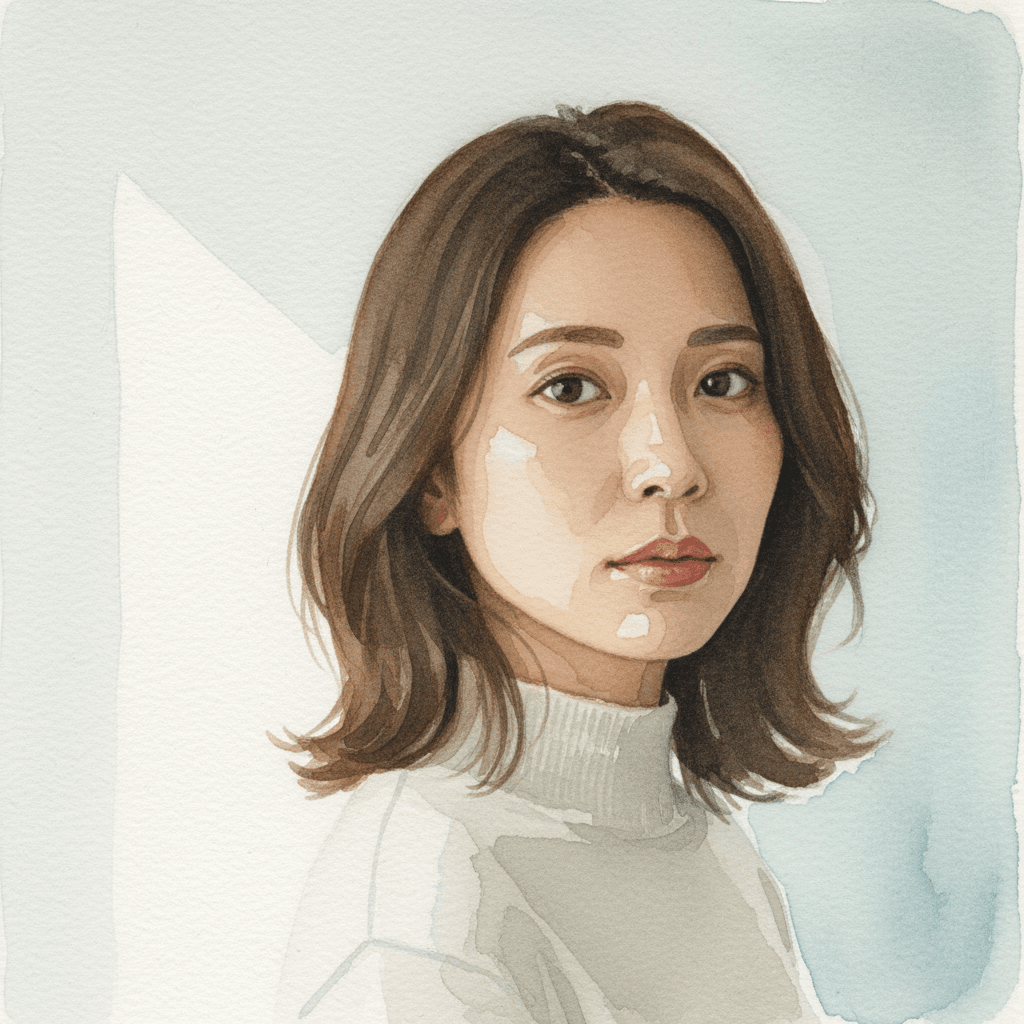
水彩画ポートレートに変換するプロンプト
ポートレート写真を柔らかい水彩画タッチに変換。淡い色合いで優雅な印象を演出。
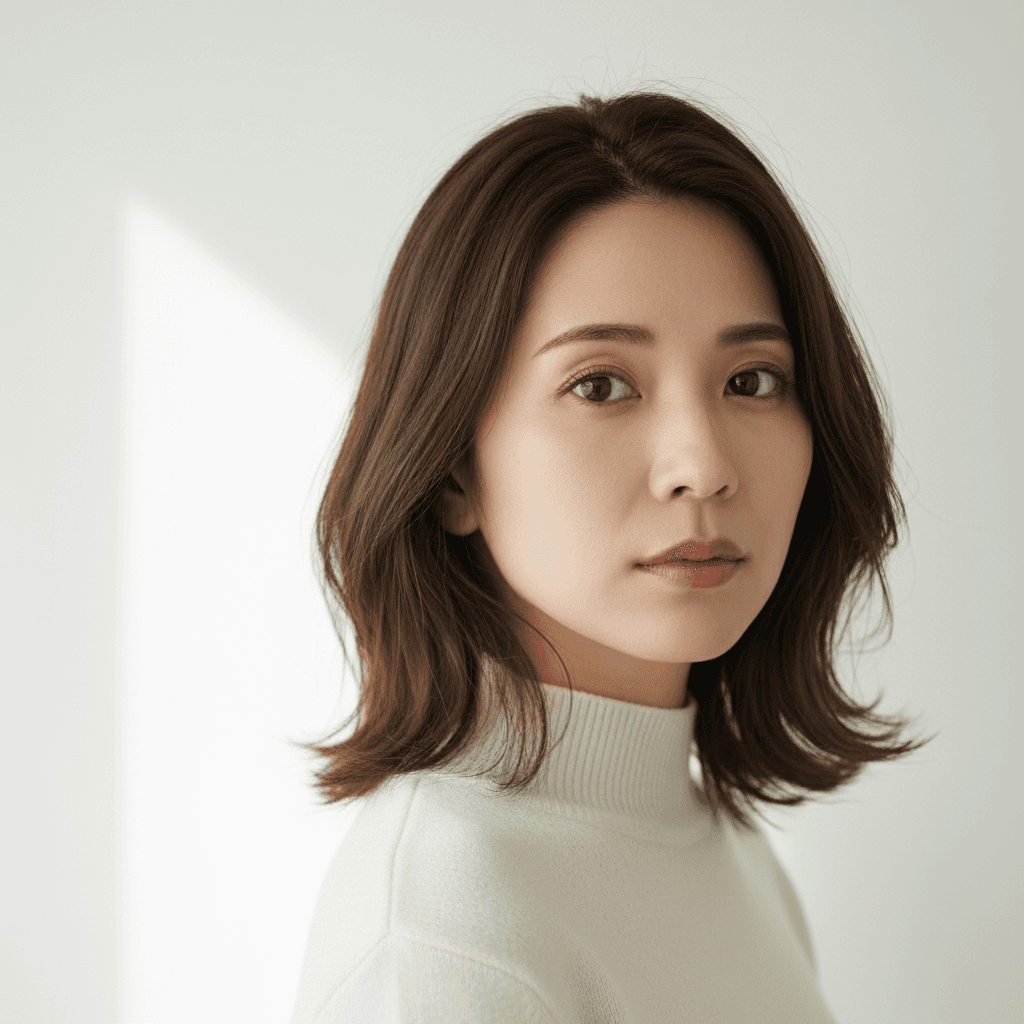
Edit only the rendering style of the uploaded photo to convert it into a loose traditional watercolor portrait. Apply soft wet-on-wet pigment bleeds at the edges of hair and clothing, visible cold-press paper texture across the whole image, gentle pooling of pigment in shadow areas, intentional white paper showing through highlights, and a muted natural palette dominated by earth tones with one or two accent washes. Lock identity (same recognizable face structure), hair length, clothing layout, pose, and composition exactly. Re-render in target style without changing any of these. Do not regenerate the photo from scratch — only operate on the existing pixels and preserve every face, pose, and texture exactly as the source. Do not invent new accessories or change the body proportions or pose. Output at the original resolution. Natural-looking as a hand-painted watercolor.
「dall-e」プロンプトとは?
DALL-Eプロンプトは、OpenAIが開発した強力なAI画像生成ツール「DALL-E」を最大限に活用し、ユーザーの意図通りの画像を生成するためのテキスト指示です。具体的なイメージを言語化することで、写真のようなリアルな画像から、イラスト、抽象画まで、あらゆるビジュアルコンテンツを瞬時に生み出すことが可能になります。創造性を刺激し、アイデアを視覚化する上で不可欠なツールと言えるでしょう。 効果的なDALL-Eプロンプトを作成するには、具体的な要素を詳細に指定することが重要です。例えば、被写体の「構図 (composition)」をlow-angle shotやclose-upで指示したり、「カラー (color)」をvibrant colorsやmonochromaticで表現したりします。また、「雰囲気 (atmosphere)」をdreamyやfuturistic、「質感 (texture)」をglossyやroughといったキーワードで明確にすることで、AIはよりユーザーのイメージに近い画像を生成します。 組み合わせ例: ・写真ポートレートを、delicate watercolor painting styleで変換するプロンプト ・ペットをhumanoid characterとして、fantasy art風に加工するプロンプト ・顔のホクロを、natural skin textureでseamlessに除去するプロンプト もし期待通りの画像が生成されない場合は、キーワードの追加や削除、または具体的な数値指定(例: aspect ratio 16:9)を試すことで、より理想に近い結果を得られます。