外壁塗装シミュレーション AI - 家の外壁色を写真で試着
一戸建ての外壁色と屋根色を AI で塗り替えシミュレーション。窓・植栽・空はそのまま、外観のリフォーム前検討に使える写真加工プロンプト。
22 閲覧8 コピー
効果サンプル(Before / After)
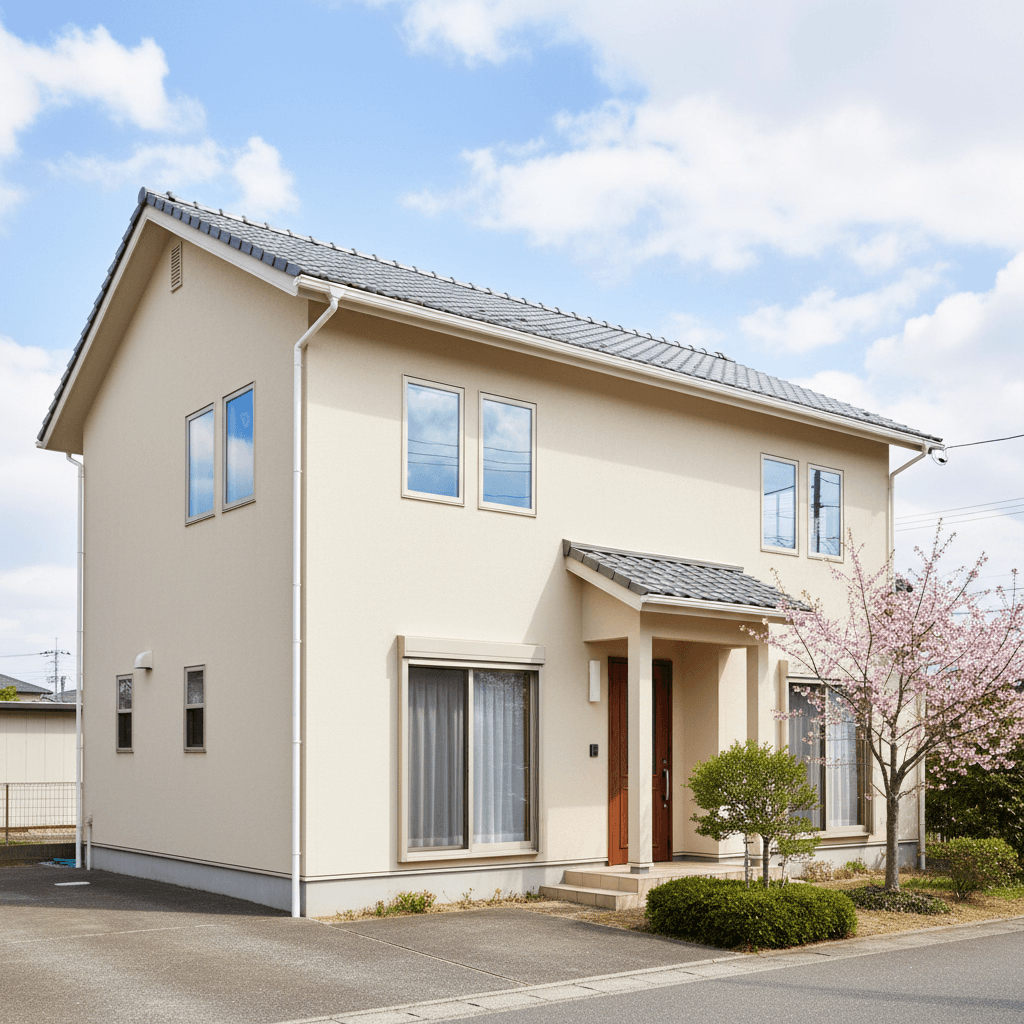
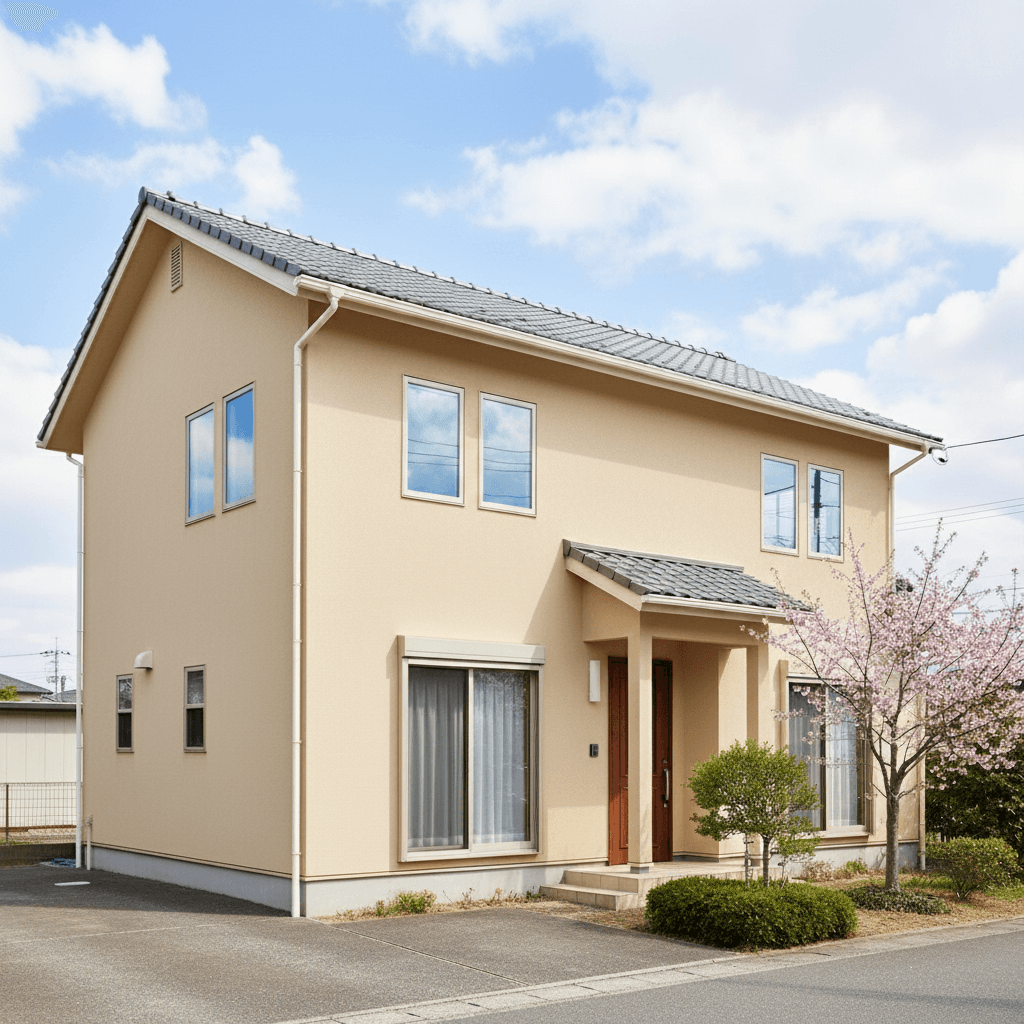
Gemini 2.5 Flash Image で生成したサンプル。実際の出力はソース写真と指示文の組み合わせで変わります。
プロンプト
Repaint only the exterior wall surfaces of the uploaded house photo with a new color. Target color: [SPECIFY — e.g., "warm beige (#C9B79C)" or "modern charcoal (#3D3D3D)" or "soft sage (#9CA88D)"]. Also optionally recolor the roof: [SPECIFY OR LEAVE AS-IS]. Keep windows, doors, garage doors, eaves, gutters, fences, landscaping (trees, lawn, planters), driveway, sky, and any people/cars exactly as in the source — only the wall siding/stucco/board surfaces change. Maintain the existing sun direction, shadow patterns, and reflected light onto the walls so the new color reads under the photographed lighting condition. Apply realistic exterior-paint or siding texture (slight matte, weathered consistency). Output at the original resolution, photorealistic. Do not regenerate the entire house — only operate on the wall pixels.
「ChatGPTで試す」ボタンを押すと、入力欄にプロンプトが自動入力された状態でChatGPTが開きます。
「Geminiで試す」ボタンを押すとプロンプトがコピーされ、Gemini が新しいタブで開きます。編集したい写真をアップロードしてプロンプトを貼り付けてください。
🚀 ここで試す
このプロンプトをサイト内で実行できます。
📸 編集元の写真をアップロード
※ 実行にはサインインが必要です(Google または メールリンク、初回 15 ポイント無料プレゼント)
使い方
- 1「ChatGPTで試す」ボタンを押すと、ChatGPTが自動で開き入力欄にプロンプトが貼り付けられます。
- 2または「プロンプトをコピー」ボタンで内容をコピーし、お好みのAIツールに貼り付けてください。
- 3必要に応じて、{ }で囲まれた部分を自分の内容に置き換えてください。
- 4送信して結果を確認します。
タグ
関連ガイド
📖📖📖
プロンプトは「コード」ではない — ヴィトゲンシュタインに学ぶAI対話の本質
なぜあなたのプロンプトは機能しないのか?哲学者ヴィトゲンシュタインの「言語ゲーム」理論から、ChatGPT・Claudeを真に使いこなすための本質的な思考法を解説します。
プロンプトの書き方完全ガイド|効果的なAIプロンプト作成の7つのコツとテンプレート集
ChatGPT・Claude・Gemini・Stable Diffusion対応のプロンプト書き方完全ガイド。7つのコツ、コピペで使えるテンプレート、ツール別の違い、NG例と改善方法、業務活用例まで実践的に解説。
画像から動画AIプロンプト作り方|無料で試せる動画生成AIコピペ例・料理動画テンプレ
画像から動画AIプロンプトの作り方を解説。画像から動画 ai 無料で試す手順、AI料理動画プロンプト、動画生成AIプロンプトのコピペ例を、Kling・Runway・Pika・Gemini向けに紹介。