冬服に着せ替える写真加工プロンプト
写真内の人物をウールコートやニットなど冬の装いに着替えさせます。季節感のあるファッション提案に最適。
10 閲覧1 コピー
効果サンプル(Before / After)
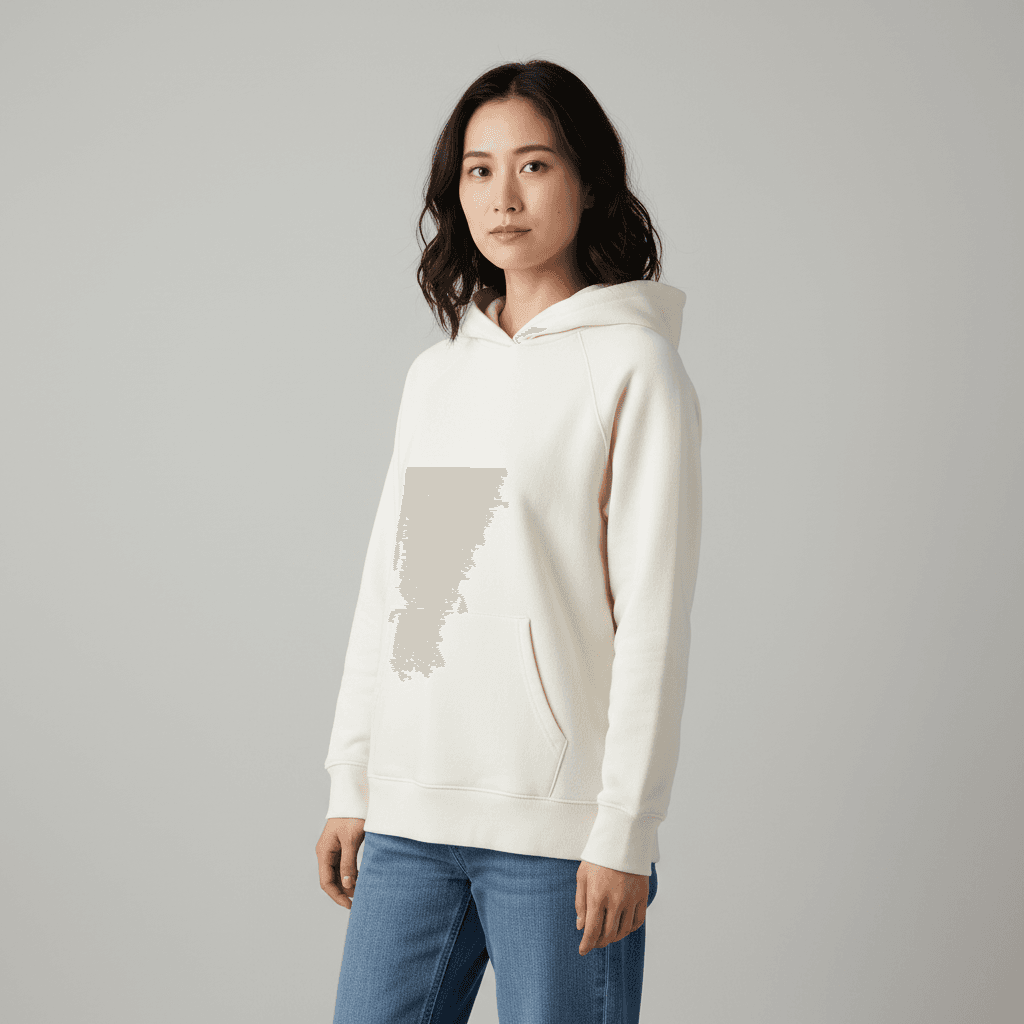
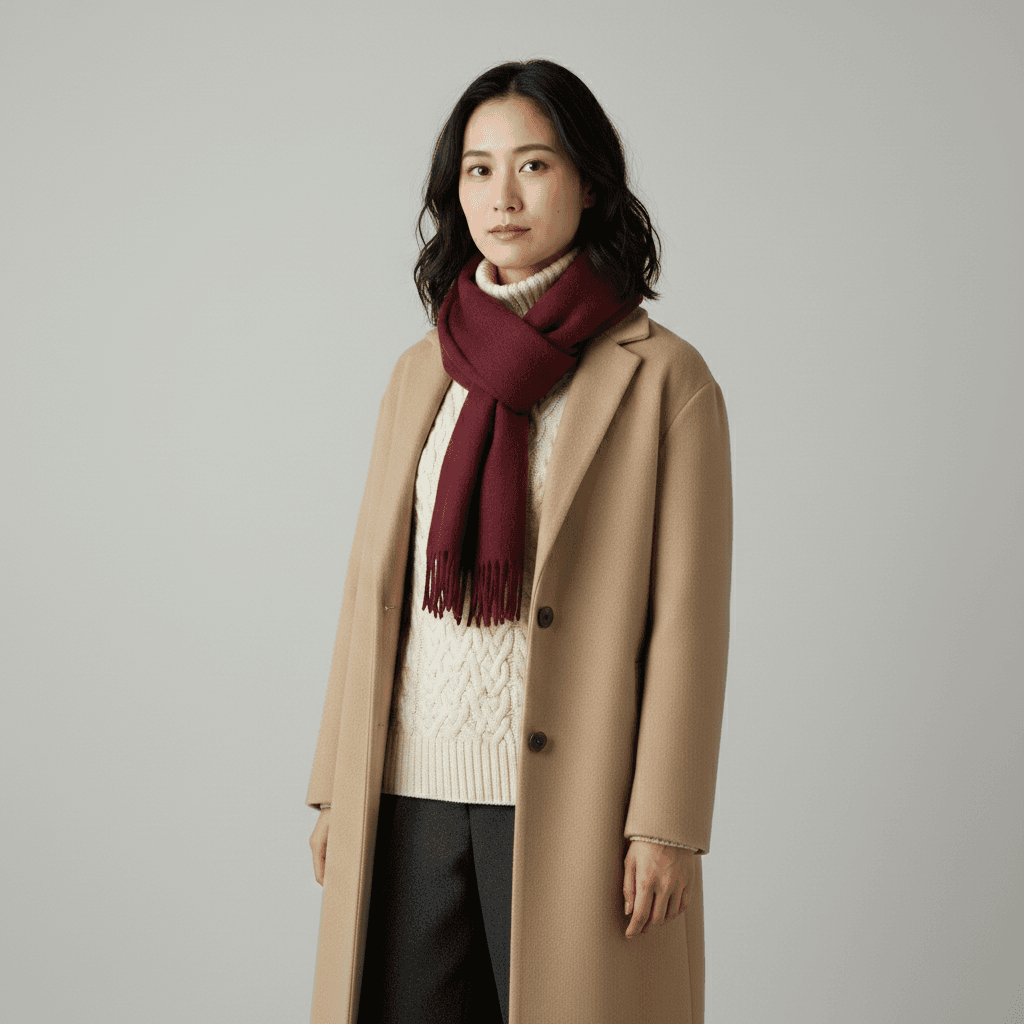
Gemini 2.5 Flash Image で生成したサンプル。実際の出力はソース写真と指示文の組み合わせで変わります。
プロンプト
I uploaded a photo. Please swap the person's current outfit for a winter outfit suitable for a Tokyo December: a beige wool long coat over a cream cable-knit turtleneck sweater, dark gray wool trousers, and a soft burgundy cashmere scarf loosely wrapped at the neck. Match the lighting direction and color temperature of the original scene so the new clothing integrates naturally. Maintain the person's identity, eye shape, nose, jawline, hair length, hair color, bangs, eyebrow shape, lip color, and pose exactly as the source. Do not alter the facial features or invent accessories that are not requested. Do not regenerate the photo from scratch — only operate on the existing pixels and preserve every face, pose, and texture exactly as the source. Output at the original resolution. Photorealistic and natural-looking.
「ChatGPTで試す」ボタンを押すと、入力欄にプロンプトが自動入力された状態でChatGPTが開きます。
🚀 ここで試す
このプロンプトをサイト内で実行できます。
📸 編集元の写真をアップロード
※ 実行にはサインインが必要です(Google または メールリンク、初回 15 ポイント無料プレゼント)
使い方
- 1「ChatGPTで試す」ボタンを押すと、ChatGPTが自動で開き入力欄にプロンプトが貼り付けられます。
- 2または「プロンプトをコピー」ボタンで内容をコピーし、お好みのAIツールに貼り付けてください。
- 3必要に応じて、{ }で囲まれた部分を自分の内容に置き換えてください。
- 4送信して結果を確認します。
タグ
関連ガイド
📖📖📖
プロンプトとは?意味・書き方・コツを徹底解説【AI初心者向け完全ガイド】
プロンプトの意味から書き方の5つのコツ、よくある失敗例、業務活用事例まで網羅した完全ガイド。ChatGPT・Claude・Gemini・Stable Diffusion・Midjourney・DALL-E対応の具体例つきでAIプロンプトを基礎から実践まで学べます。
ChatGPTプロンプト集|画像生成・文章作成・SEOで使える無料テンプレート
ChatGPTで使える実用プロンプトテンプレート集。画像生成、写真編集、SNS投稿、SEO記事、文章作成、プロンプト改善まで、用途別にコピペ例と変数の書き換え方を解説。
プロンプトは「コード」ではない — ヴィトゲンシュタインに学ぶAI対話の本質
なぜあなたのプロンプトは機能しないのか?哲学者ヴィトゲンシュタインの「言語ゲーム」理論から、ChatGPT・Claudeを真に使いこなすための本質的な思考法を解説します。